AniMathIO 2.3.0

AniMathIO 2.3.0 is a redesigned editor and the last feature release of AniMathIO 2. The interface has a new look, and the remaining gaps from 1.x are closed: record your voice, describe a formula in words, export WebM and keep the pitch when you change a clip's speed. Download the installers from the 2.3.0 release.
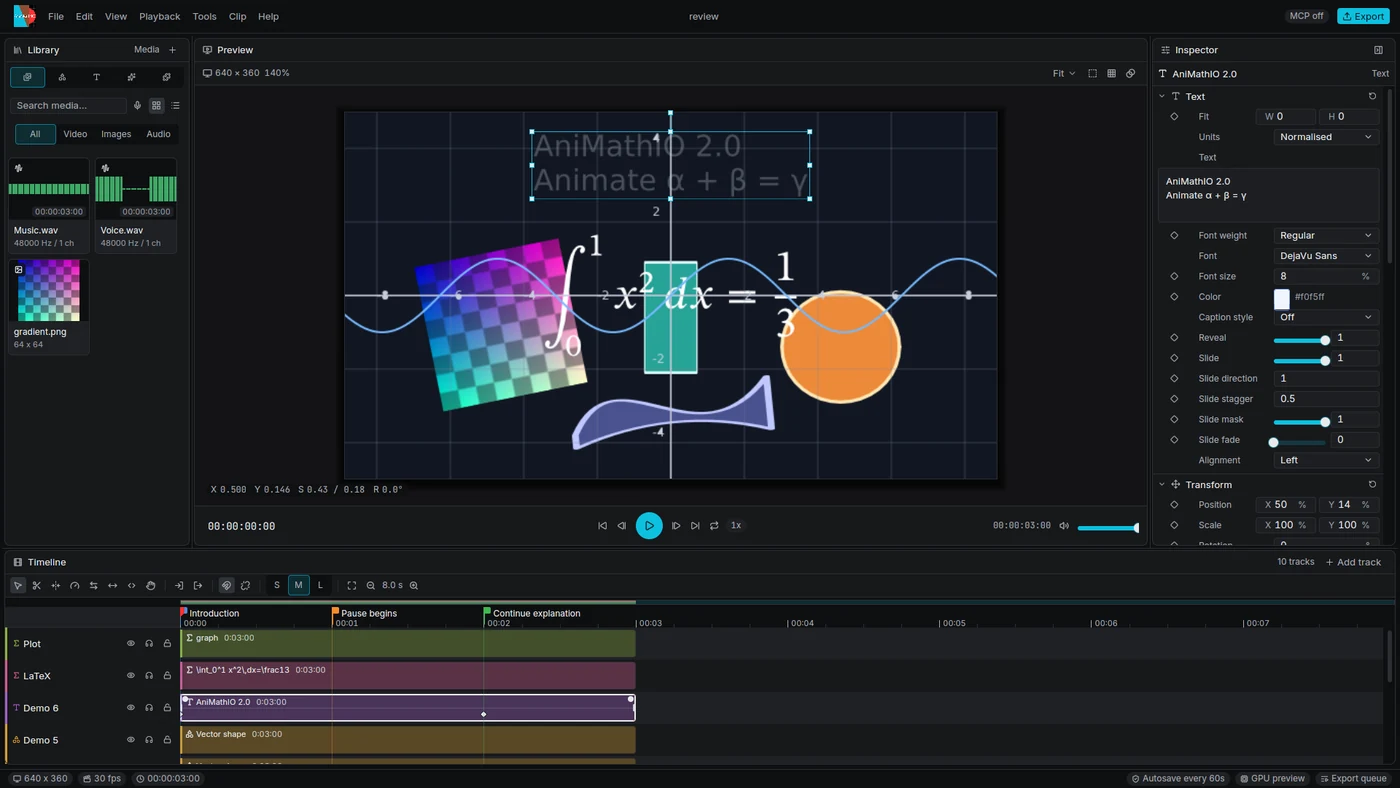
A new look
The whole interface was reworked on one design system: neutral greys, a single cyan accent and the same spacing, type and controls everywhere.
- A flat inspector. Every clip kind (video, image, audio, text, shapes, LaTeX, graphs) uses the same row layout: a label, then the value, with the keyframe diamond in the same place.
- One dialog frame. Export, Preferences, Project settings and the Math dialog share a frame and widths, and Preferences is grouped into General, Interface, Preview and Plugins and updates. The launcher is a plain start screen with canvas formats, templates and recent projects.
- Tool panels that look alike. Automatic cuts, Markers and beats, Auto reframe, Auto duck and Scenes share one panel frame with a pinned footer, so the buttons stay in the same place.
- A calmer timeline and viewer. Track headers are a single row, marker names sit above the tick numbers so they never cover them, and the transport and viewer are tidier. Plugin cards in the Library are plain: icon, name, one switch and a line saying what the plugin does.
The editor is laid out for 1280 × 720 as its smallest window, so key controls stay visible on a laptop screen.
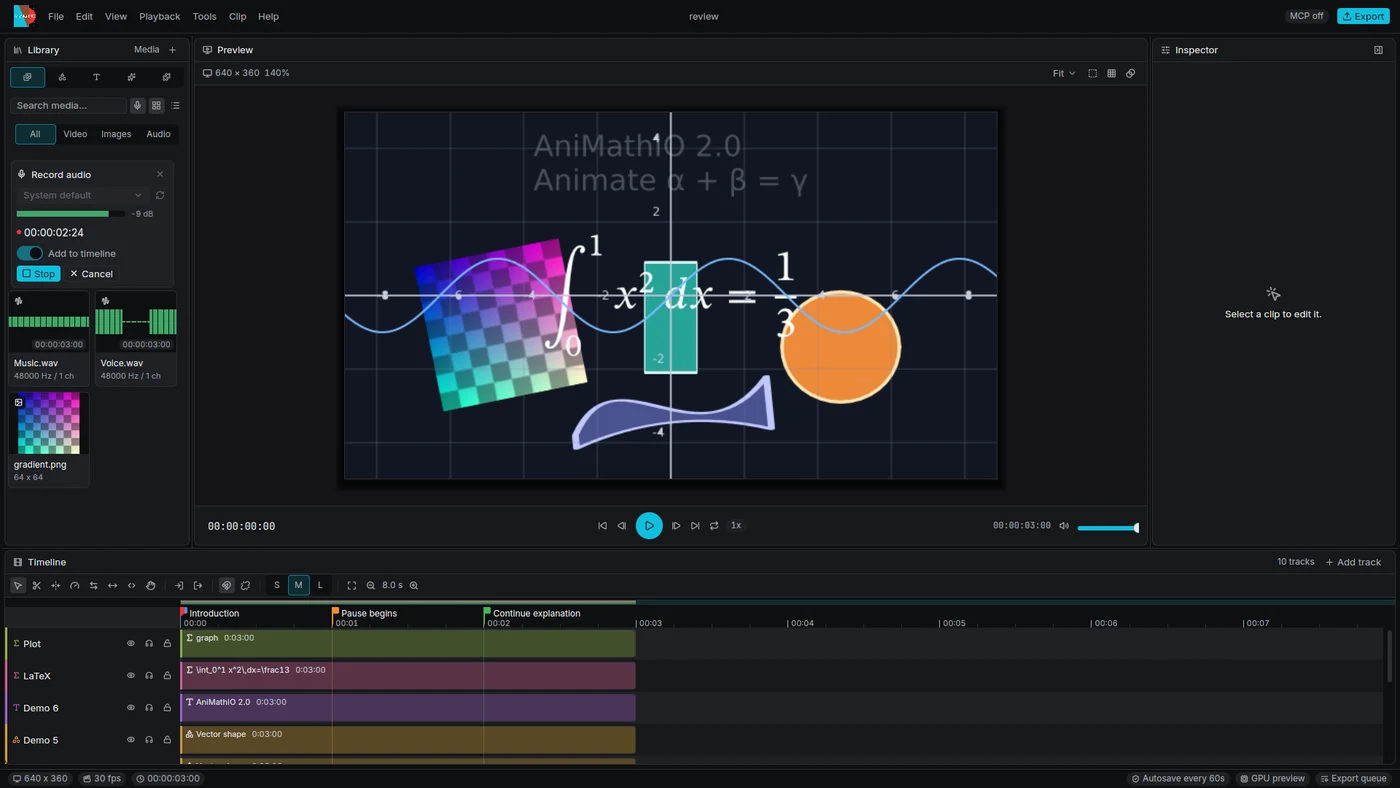
Record audio
Press the microphone button in Library → Media (or File → Record audio), pick an input, record and watch the level meter. Stop saves the take to the Media library as a WAV file and, if you leave "Add to timeline" on, places it on a free audio track at the playhead in one undo step. If the clip cannot be placed, the take still stays in the library. macOS asks for microphone permission the first time.
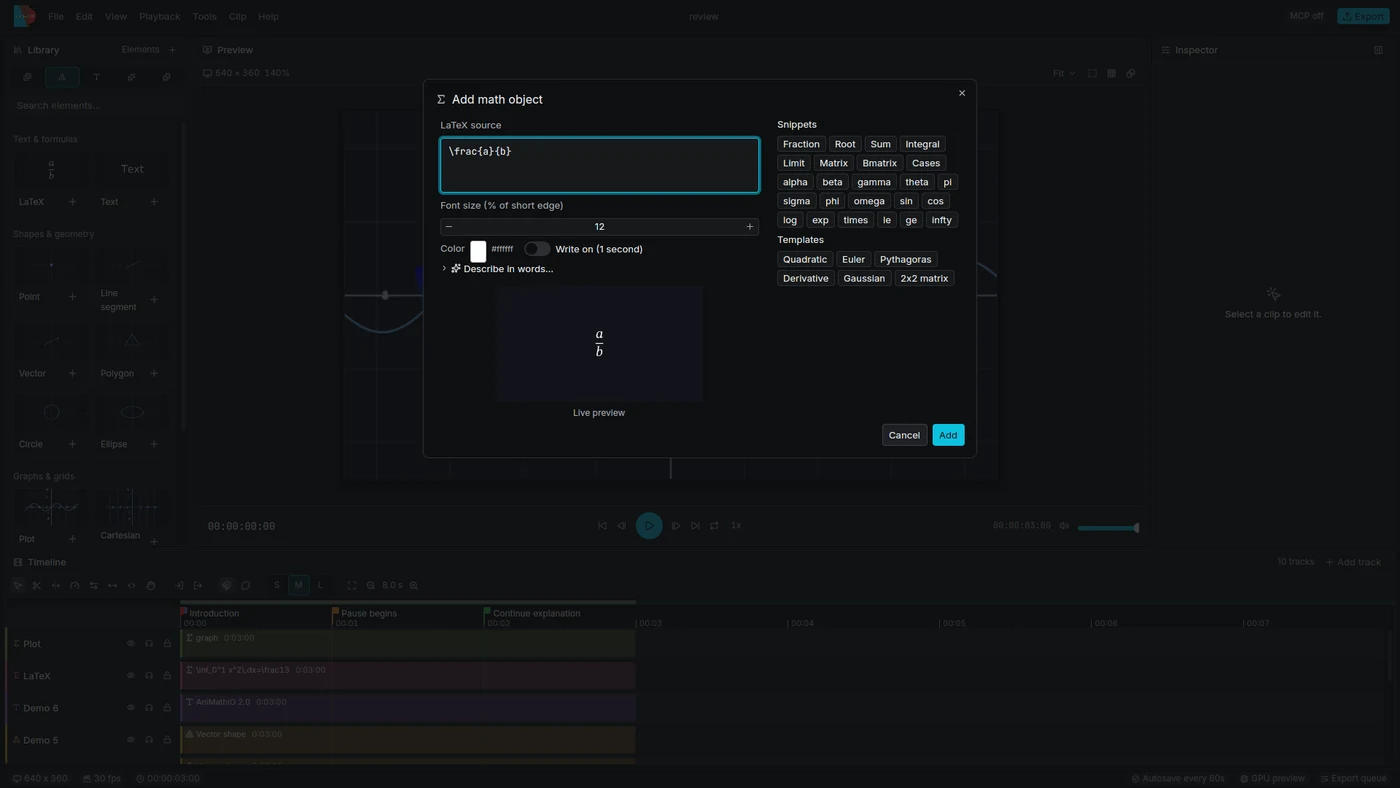
Describe a formula in words
The LaTeX dialog has an optional Describe in words section: type "the integral of x squared from 0 to 1" and press Convert to LaTeX. The answer lands in the formula field, where the live preview checks it, and you can edit it before adding it. It works with any OpenAI-compatible service or a local model (Ollama, llama.cpp) and is off until you set it up. The API key goes to your operating system's keyring, and only the text in the box is ever sent. The math objects guide has the setup and the data flow.
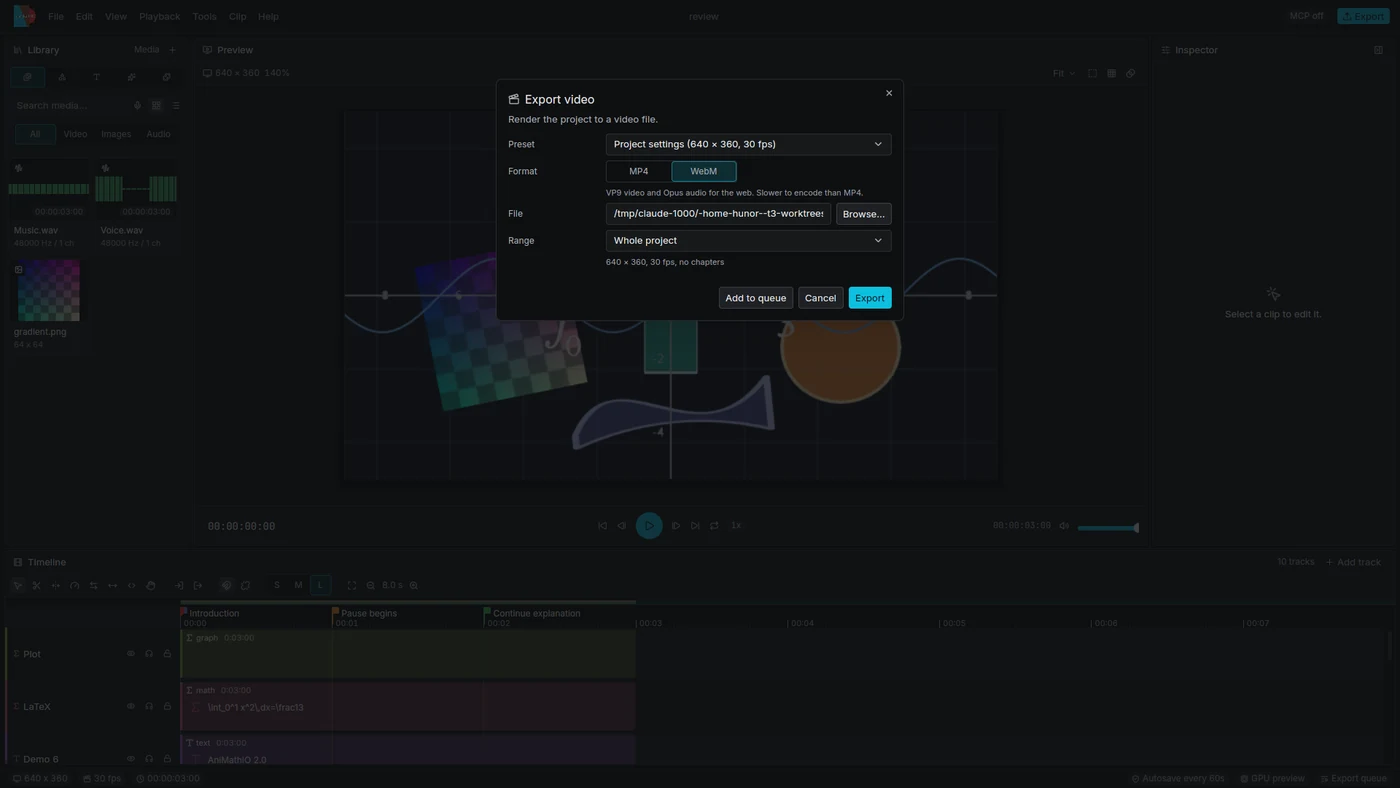
WebM export and MP4 chapters
Export now has a Format selector: MP4 (H.264 and AAC, still the default) or WebM (VP9 and Opus). WebM is also
available from animathio-cli export --format webm and the MCP export_video tool. It encodes more slowly than
MP4. MP4 exports embed your timeline markers as chapters, so VLC, mpv and FFmpeg show them; turn that off with
--no-embed-chapters.
Speed, audio and text
- Maintain pitch. Changing a clip's speed can keep its audio pitch, including ramps and reverse. It is on for new clips; turn it off for the old varispeed sound.
- Ramp handles and smoother fast video. Drag a key's square handle on the timeline to change its time and speed. Video above 1x is filtered over time instead of dropping frames.
- Denoise and Auto duck. Learn the noise profile from a range marker or your selection. Auto duck is three labelled steps and suggests the other audio tracks as the music.
- Typography and slides. The Titles tab gains Title, Subtitle, Body, Caption and Heading 1 to 6 presets, and text clips get a font weight. New clipped-slide and per-character slide presets animate any clip or text one character at a time.
Under the hood
2.3.0 also adds a Windows check to CI that installs the packaged editor and launches it on a real Windows machine, fixes a crash when undoing during a speed-key drag and speeds up the timeline ruler. Windows is still not hand-tested; reports from Windows users are welcome. See the changelog for the full list.
What's next: security fixes only
2.3.0 is the last feature release of AniMathIO 2. From here the 2.x line only gets security fixes and dependency updates. The Roadmap records what shipped and what stays open, and Known issues lists current limitations with workarounds. The Flatpak build files are in the repository; there is no Flathub listing, so build the Flatpak locally.
Thank you to everyone who filed issues, tested installers and wrote community plugins along the way.