Math objects
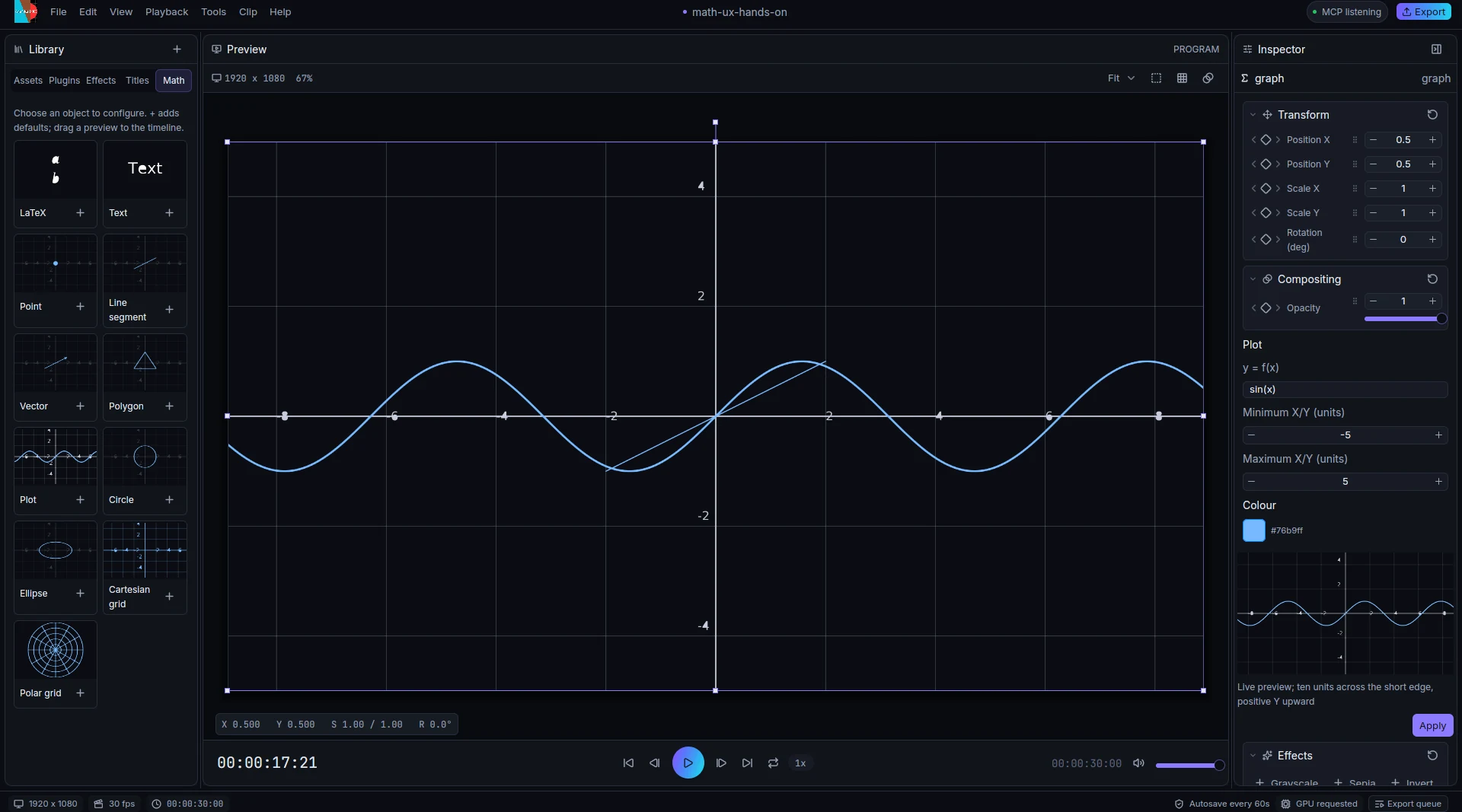
Equations and graphs are clips, not pictures. The Library's Elements tab offers eleven objects:
| Object | Notes |
|---|---|
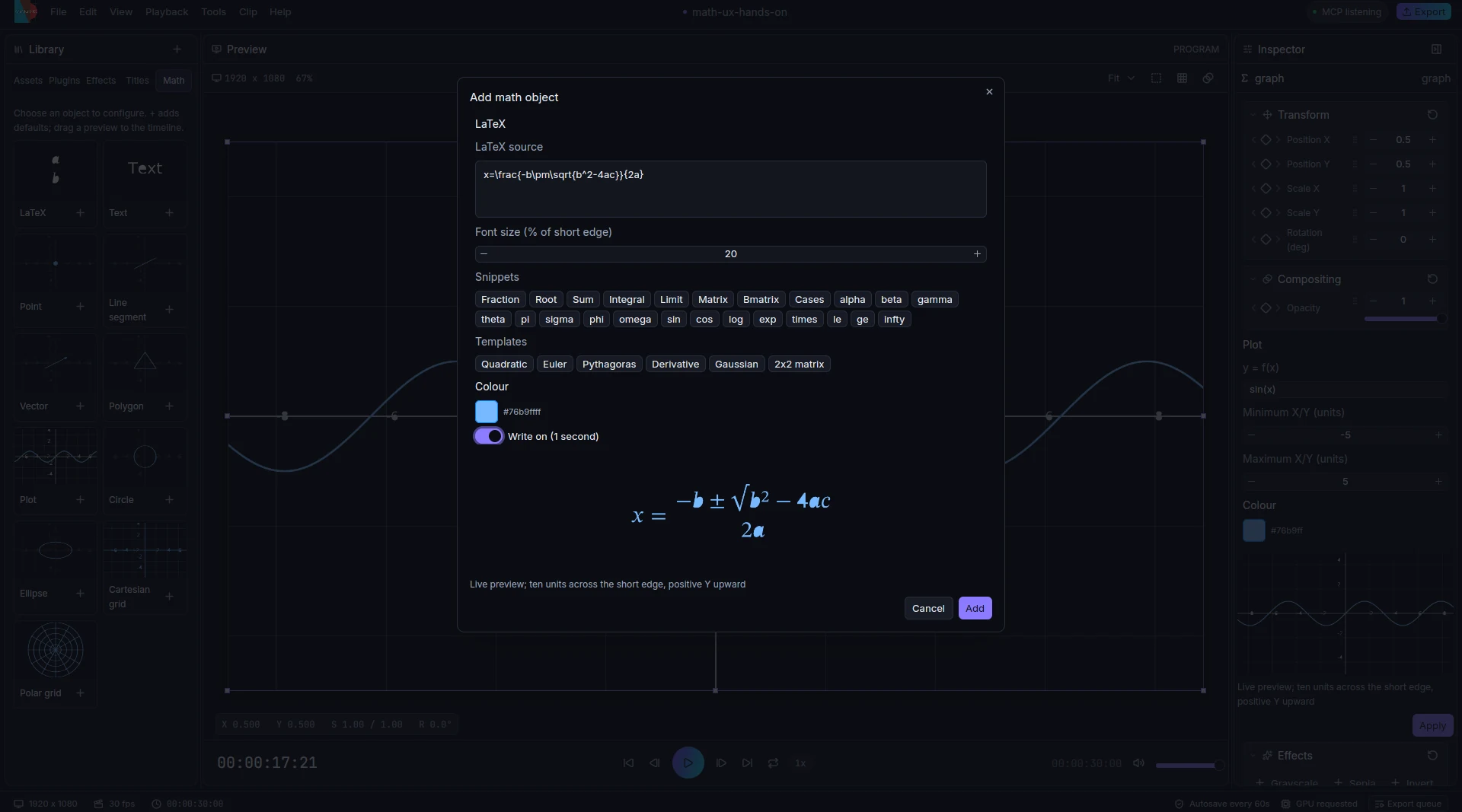
| LaTeX | Multi-line source with live preview, snippets, six formula templates, colour, size and Write on |
| Text | Plain text at a percentage of the short canvas edge |
| Point, Line segment, Vector | Placed in math units |
| Polygon | A list of vertices |
| Plot | A function of x |
| Circle, Ellipse | Radii in math units |
| Cartesian grid, Polar grid | Labelled grid and polar rings |
Add and edit
Click a preview card to configure the object. The dialog shows a live preview, rendered by the real plugins after a short debounce. The plus button adds the defaults at the playhead, and dragging a card onto the timeline adds it at the drop time. Objects land on a free visual layer, so they never overwrite existing clips. Apply commits the draft as one undo step.
Double-click a math clip in the timeline, or on its visible ink in the viewer, to reopen the same editor. The inspector shows the same fields. Effects, transforms, timeline placement and keyframes survive Apply.
Coordinates and sizes
Geometry uses math units: a ten-unit square with positive Y upward, scaled uniformly from the short canvas edge, so a figure reads the same on 16:9 and 9:16. Text and LaTeX sizes are a percentage of the short edge. A new formula starts at 14% of it, centred.
LaTeX
LaTeX is typeset on the host (Typst, with MiTeX converting LaTeX to Typst) and drawn as vector outlines, so it stays sharp at any size. Counters in glyphs such as θ render as holes. Invalid source shows an inline message, disables Add and Apply, and never produces an error card.
Write on replaces the reveal with a typewriter-style entrance from the animation plugin, over a duration you choose, in one undo step. The Effects tab also has a Write on action for an existing LaTeX clip. Equations dissolve into each other; symbol-level morphing is not available yet.
Inline colours are supported: \color{red}{x}, \textcolor{blue}{y} and scoped
{\color{green} z} keep their explicit colours, while unstyled glyphs inherit the clip colour.
Write on also works with coloured formulas.
Plots
Plots use the graph plugin's function-of-x expression language. Parametric curves exist in the graph plugin and the showcase videos use them, but the Math dialog does not expose parametric or polar inputs yet.
From the command line
animathio-cli math-objects list
animathio-cli math-objects add project.amio --kind vector --field x1=-2 --field y1=-1 --field x2=2 --field y2=1 -o vector.amio
animathio-cli math-objects add project.amio --kind latex --field 'source=e^{i\pi}+1=0' --write-on -o formula.amio
animathio-cli math-objects add project.amio --kind polygon --field 'vertices=-2,-1; 2,-1; 0,2' -o polygon.amio
Kinds are latex, text, point, line, vector, polygon, plot, circle, ellipse, cartesian and
polar. Omitted fields keep the defaults printed by list. MCP clients use add_math_object, add_math and
add_graph; see Control protocol and MCP.
Examples
The repository ships three explainers built only through the CLI and MCP server: the Pythagorean theorem, a
unit circle becoming a sine wave, and a Fourier square wave with epicycles. They use LaTeX write-on,
parametric curves, graph draw-on, animation presets, caption styles and beat-synced cuts. See
examples/showcase.